AQEM TUTORIALS
Object Swap Workflow

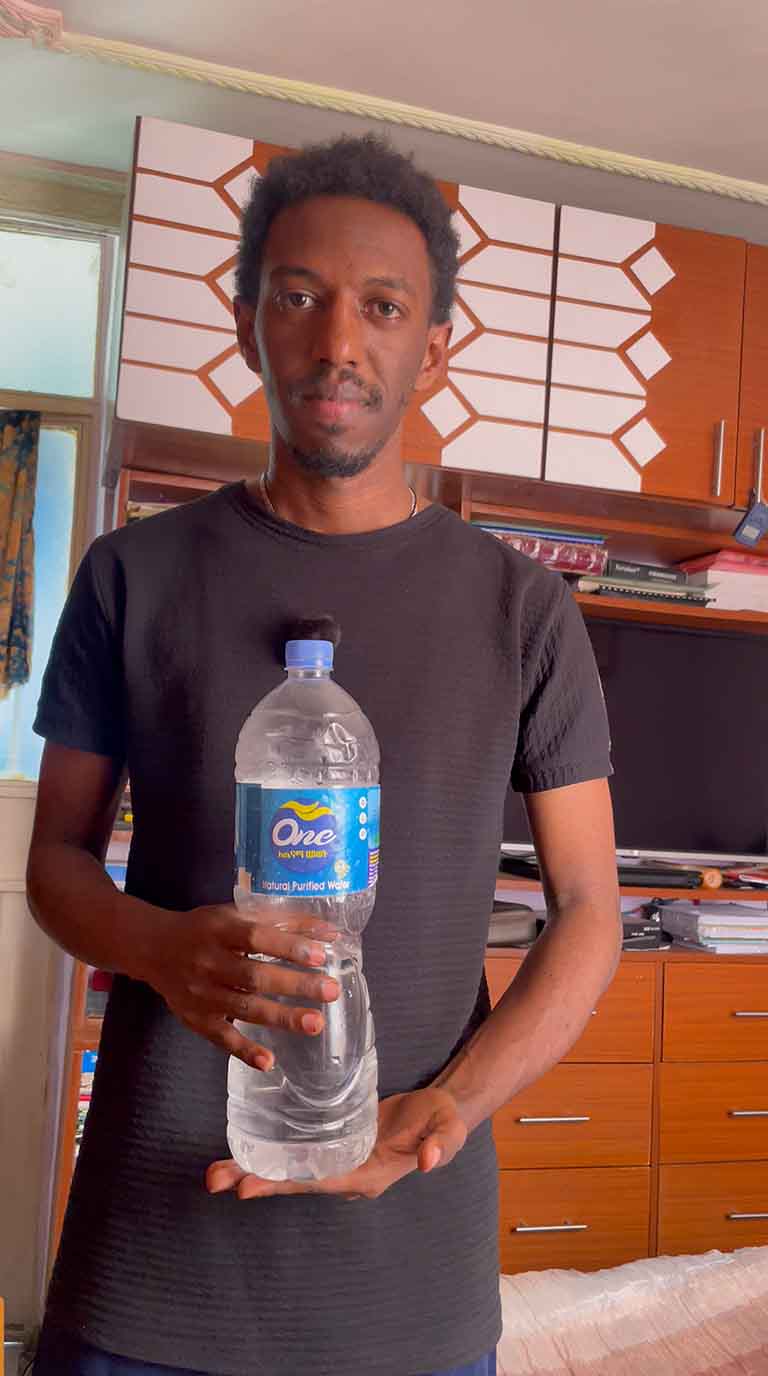
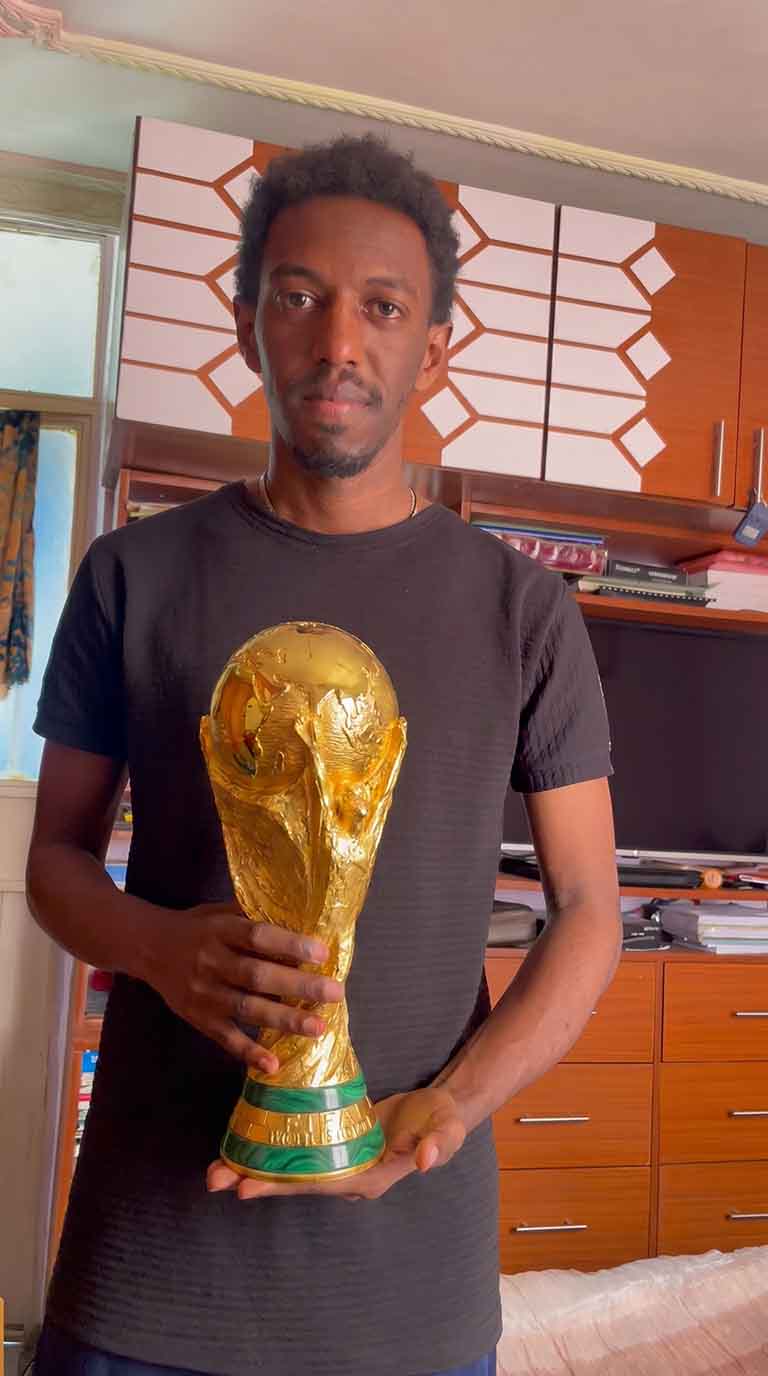
Swap the Bottle for the World Cup Trophy

A two-step object swap: first replace the water bottle with the gold trophy in a still frame, then bring it to life with Motion Control — changing only the object while everything else stays locked.

Before → AfterNano Banana Pro9:16
BottleBottle
TrophyTrophy

Upload the Before frame into the Studio as your image, run Step 1 to swap the object, then feed the result into Step 2 with Motion Control to animate it.

Step 1: Swap the Object

Nano Banana Pro

Replace the water bottle in the man's hand with the golden FIFA World Cup trophy. Keep his hand, grip, pose, the background and the lighting exactly the same — only the object changes. Match the trophy's scale, perspective and reflections to the scene. Photorealistic, sharp, no other edits.

Step 2: Motion Control

Kling 3.0 Motion

Animate this shot with the man holding the golden World Cup trophy instead of the bottle. Change only the object — keep his motion, hands, face and background identical to the reference. The trophy stays locked in his grip with natural, consistent gold reflections throughout the motion.